Jim Rossman: A better mic for more accurate captions
Published in Science & Technology News
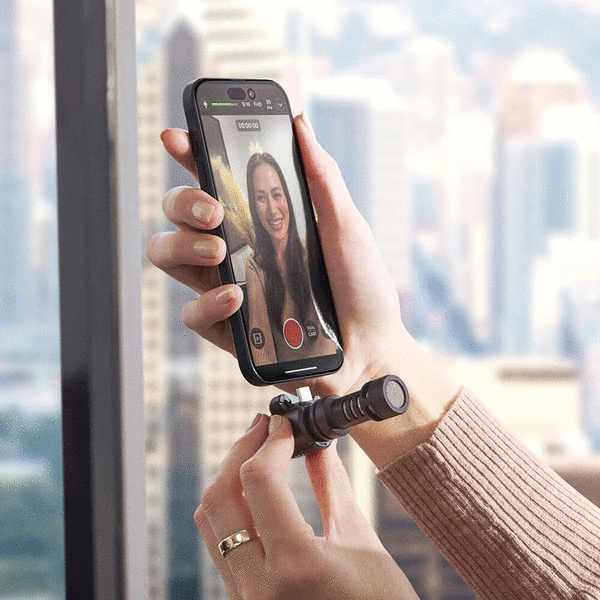
A while back I wrote about enabling live captions on your phone, and this week a reader follows up, “I’m profoundly deaf and depend on captions. I upgraded to an iPhone 17 Pro Max for the powerful processor. Better but it doesn’t perform as good as my PC for captions. I want to add an external microphone, as I think part of the problem is audio quality. I’ve searched for mics but I’m not sure what small, easy mic will help the captions. I’ve been researching the Rode VideoMic Me C+. But it seems a bit much. It needs to handle noisy settings. Group settings. Whatever. Thoughts? There are paid apps but they’re cloud and require service fees. I thought a mic would improve the iPhones captions. Thank you.”
The reader is right – a better microphone will produce better captions.
The captioning is only as good as the sound the microphone can pick up.
In a quiet room, with one or two other people, or even a normal dinner at home, your phone will do a really good job picking up the speech and turning it into live captions.
Where things get tricky would be in a noisy restaurant, or perhaps in a large church or outdoors at the park where the voices are there, but the background noise is just as loud as the voices.
There are a couple different kinds of microphones, and the reader may find she needs more than one type, depending on the situation.
The Rode VideoMic Me C+ is a USB-C microphone that is shaped like a tube of lipstick with a microphone at one end. It is a directional microphone, which means you need to aim it in the direction the sound is originating.
In a noisy restaurant, having a directional mic is great. You will likely get much better captioning than you would with the phone’s built-in mics. Where it might get tricky is that the VideoMic is in a fixed position when it’s connected to your phone, so you have to rotate your phone instead of just pointing the mic, so your phone screen may or may not be visible at the angle needed to point the mic toward the person speaking.
I suppose you could use a USB-C extension cable to get the mic off the bottom of the phone and point it in the right direction while you read the captions on the screen.
Rode also makes omni-directional microphones, including some that are wireless and can be situated closer to people speaking for better sound. The Rode Wireless Micro is a good one.
One big caveat: There is not an obvious option to choose a different microphone in Live Captioning settings on the iPhone, so you may want to buy your mic from a store with a good return policy if you don’t get the results you’re after.
©2026 Tribune Content Agency, LLC.






Comments